Accept reservations 24/7 with no per-cover fees. Reduce no-shows with SMS reminders, let guests choose tables, and keep full control with waitlist sync and table management.
Unlike OpenTable and Resy, Simple Host charges a flat monthly fee. No surprise charges based on how busy you are.
Configure everything to match how your restaurant operates
Set minimum and maximum party sizes for online booking. Large parties can still call.
Optionally let guests choose their preferred table when booking online.
Let guests choose seating areas like inside, patio, private room, or bar.
Choose whether to allow same-day bookings and set a buffer time before seating.
Automatically block times when all appropriate tables are reserved.
Set how far in advance guests can book and block out dates as needed.
A smooth booking experience that reduces no-shows
Guests can book 24/7 from your website or Google Business Profile. No phone calls needed.
Instant confirmation via SMS and email. Reminder notifications help prevent no-shows.
Guests can easily cancel their reservation with one tap, freeing up the table for others.
Multiple features work together to keep your tables full
Guests receive immediate confirmation texts when they book.
Automated reminders before the reservation help guests remember.
One-tap cancel means guests actually cancel instead of just not showing up.
Track no-show history in your Guestbook. Know who to watch out for.
Every reservation, modification, and cancellation is automatically logged. See the complete history of every guest interaction.
Smith • Party of 4 • 7:00 PM
SMS to Johnson — reservation confirmed
Williams • 6:00 PM → 7:00 PM
Chen • Party of 2 • 8:30 PM
Add your reservation link anywhere guests might want to book
Add a "Book Now" button
Add to Reserve button
See how →
Link in bio
Every email you send
A beautiful, mobile-friendly booking experience that matches your brand
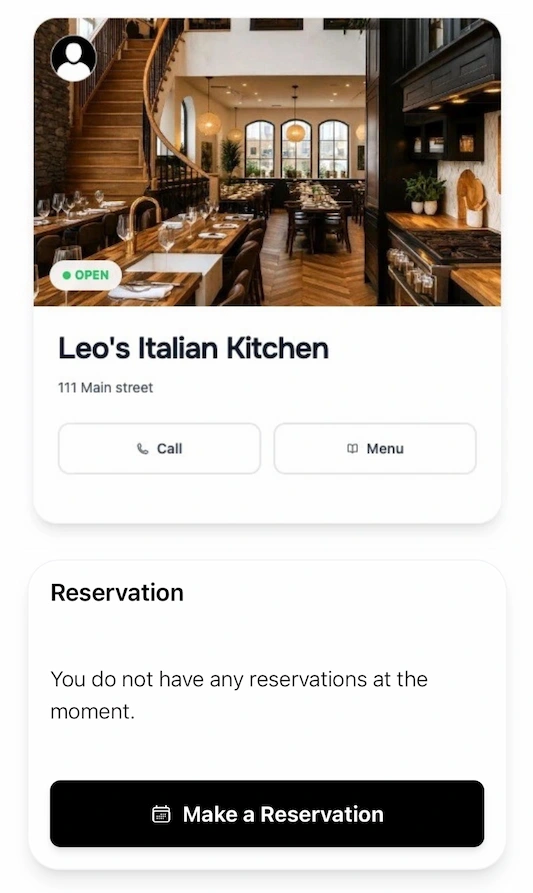
Guests land on your branded page with your hours and availability
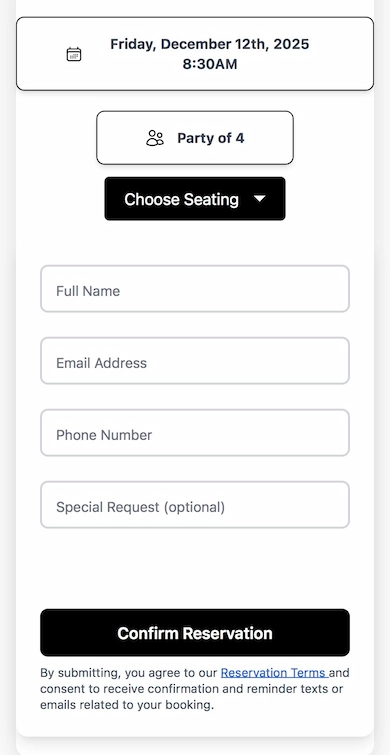
Select date, time, party size, and optionally choose their preferred table

Guests submit their request and wait for the restaurant to confirm
Guests visit your reservation link from your website, Google Business Profile, or social media. They select their date, time, party size, and contact info. No app download required—it works in any browser.
No. Simple Host charges a flat monthly fee with unlimited reservations. You pay the same whether you seat 50 or 500 covers. Online reservations are included in the Professional plan ($69.99/month) and VIP plan ($99.99/month).
Guests receive an automatic SMS when their reservation is confirmed. They also get a reminder before their reservation time. Monthly SMS credits roll over (Basic 250, Pro 500, VIP 1,000).
Yes, if you enable this option. Guests can view your floor plan and select their preferred table when booking. You can also disable this and assign tables yourself.
Simple Host automatically blocks time slots when all appropriate tables are reserved. It checks party size against table capacity so guests can only book times that actually have availability.
Guests can cancel with one tap from their confirmation page or SMS link. This automatically frees up the table for others. Modifications require contacting your restaurant directly.
Yes. Your host stand view shows reservations and waitlist together on the same screen. You can see upcoming reservations, current wait times, and table status all in one place.
Yes. You can set booking windows, block specific dates (holidays, private events), disable same-day reservations, and set buffer times between the booking and the reservation time.
Unlimited reservations for a flat monthly fee. Free 7-day trial.