Let guests join from QR or your website, send SMS table-ready texts, and sync the waitlist with table management and online reservations.
Get your online waitlist up and running in minutes. No technical skills required.
Toggle it on in your Simple Host settings. Configure your preferences like max party size and location requirements.
Require guests to be within a certain distance of your restaurant before they can join the waitlist remotely. Perfect for preventing abuse.
Copy your unique waitlist link and add it to your website, Google Business Profile, or generate a QR code for table tents.
When a table is ready, tap "Table Ready" in Simple Host. The guest gets an instant SMS and notification on their waitlist page.
Guests scan a QR code or click a link on your website to join the waitlist. No app download required.
Guests enter their name, phone number, party size, and any special requests or seating preferences.
Guests can see their estimated wait time and visually track their position in line in real-time.
When their table is ready, they receive an SMS and a notification on their waitlist page. No more wondering or waiting at the door.
Generate QR codes for table tents, window signs, or anywhere guests can easily scan to join.
Set a maximum distance from your restaurant. Only guests within range can join remotely.
Guests receive text messages when their table is ready. Works on any phone, no app needed.
Set minimum and maximum party sizes for online waitlist to match your seating capacity.
Guests see their wait time and position update live. No refreshing needed.
Every join, notification, and seating is recorded in your activity log and Guestbook.
Add your waitlist link anywhere to start capturing guests
Guests wait from their car, nearby shops, or home instead of cramming into your lobby.
Guests who see a long line can join online and come back later instead of leaving.
No one likes standing around. Let guests relax while they wait for their table.
Real-time updates keep guests engaged. They know exactly when to arrive.
A simple, mobile-friendly experience that lets guests join from anywhere
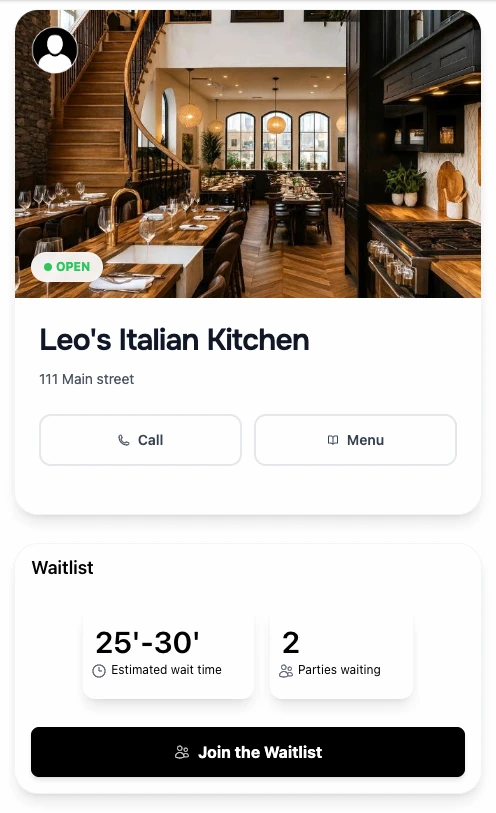
Guests scan the QR code or visit your link to join the waitlist
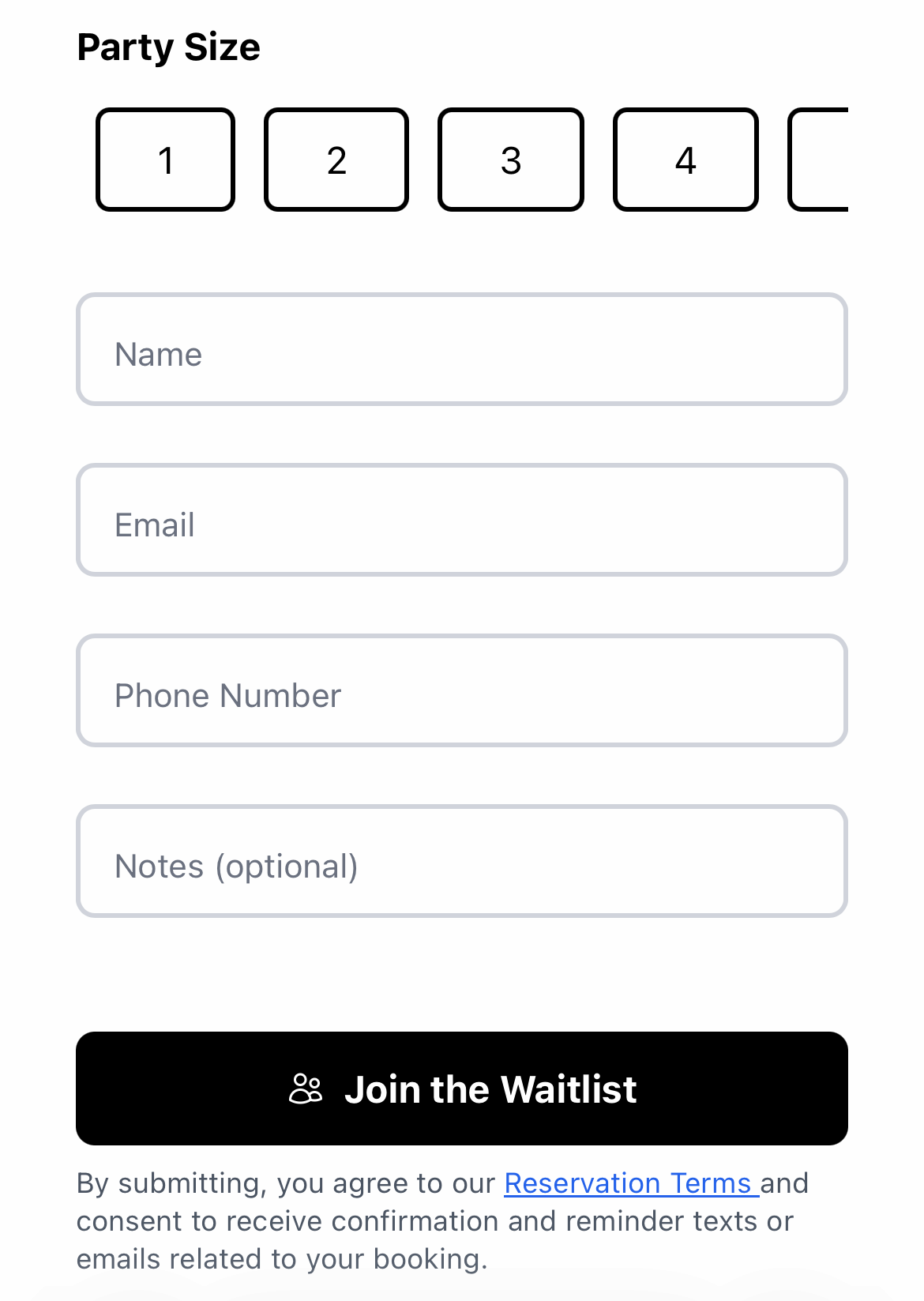
Enter name, party size, and phone number in seconds
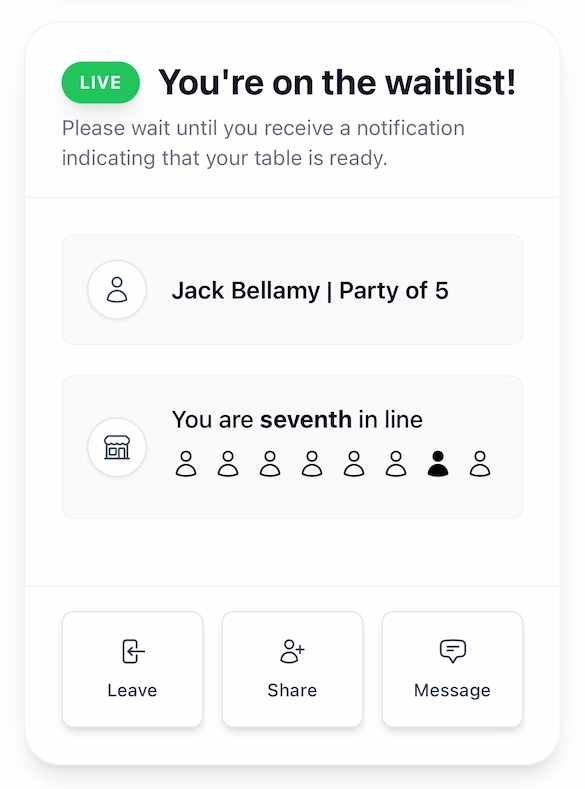
Guests see their position and get notified when their table is ready
Guests can scan a QR code you display at your restaurant, click a link on your website, or access your waitlist through your Google Business Profile. No app download required—it works in any mobile browser.
Yes. You can set a location radius so only guests within a certain distance can join remotely. You can also set minimum and maximum party sizes for online joins, and turn the online waitlist on/off anytime.
Guests receive an SMS text message and see a notification on their waitlist status page. Two-way SMS is included with rollover credits (Basic 250, Pro 500, VIP 1,000 per month).
Yes. After joining, guests see a live status page showing their position in line and estimated wait time. The page updates automatically—no refreshing needed.
You can mark them as a no-show in Simple Host. This is tracked in the Guestbook so you can see repeat no-show guests. You can also send a second notification or remove them from the list.
Absolutely. Online and walk-in guests appear on the same waitlist in the order they joined. Your host can add walk-ins manually while online guests add themselves.
Yes. Your online waitlist page displays your restaurant name, logo, and current wait time. Guests see a clean, professional page that matches your brand.
The online waitlist feature is included in the VIP plan ($99.99/month). Basic and Professional plans include in-house waitlist management with SMS notifications.
Set up your online waitlist in under 5 minutes. Free 7-day trial.