Should Every Host Have Their Own Login? A Guide to Restaurant Staff Permissions
 Simple Host Team
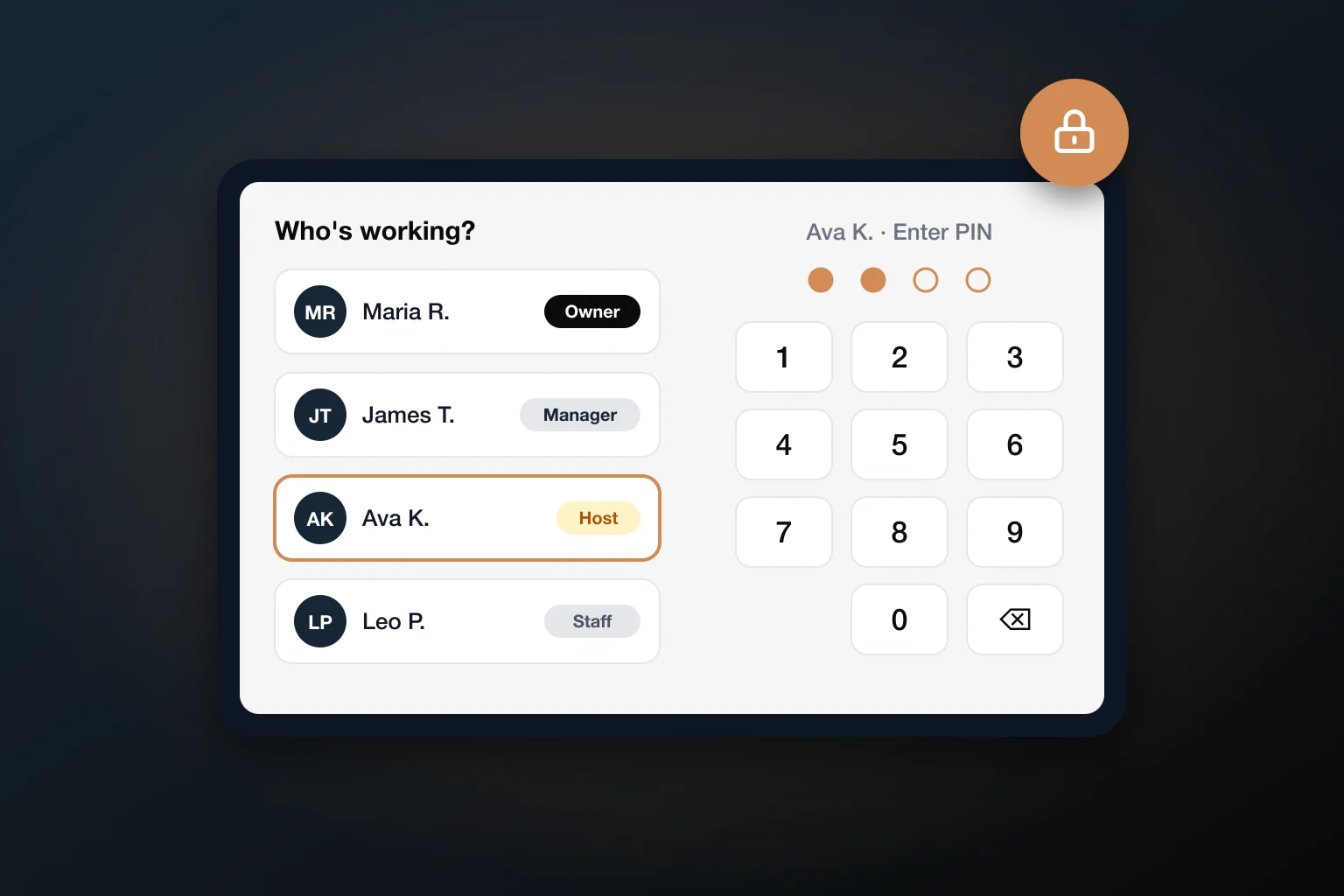
Most host stands run on one shared iPad and one shared login. It works fine, right up until a reservation disappears on a Saturday night and nobody knows who deleted it. Here is how to decide who should be able to do what at your host stand, and how to set it up without slowing service down.
The Problem With One Shared Login
A shared login feels simple because everyone can do everything. That is exactly the problem.
- No accountability: When a reservation is deleted or a table is released too early, there is no way to know who did it. You cannot fix a habit if you do not know whose habit it is.
- No limits: A host on their second shift has the same power as the owner. They can delete reservations, rearrange the floor plan, or turn off online booking without meaning to.
- Access never leaves: If the password is on a sticky note by the register, it walks out the door with every employee who quits.
- Small mistakes get expensive: A deleted reservation is a guest who shows up to no table, and often a one-star review that sticks around for years.
Permissions Aren't About Distrust
Limits protect your staff as much as your business. A new host cannot accidentally break something they do not understand yet, and nobody gets blamed for a mistake they did not make.
What Each Role Actually Needs
You do not need a complicated org chart. Four roles cover almost every restaurant:
- Owner: Everything, including billing, staff accounts, account-wide settings, and anything that deletes history.
- Manager: Everything needed to run the floor and fix problems: changing and deleting reservations, editing the floor plan and server sections, closing tables, and approving exceptions. Usually not billing.
- Host: The core of the job: seating parties, managing the waitlist, taking reservations, and messaging guests. Usually not deleting reservations, changing settings, or editing the floor plan.
- Server or other staff: Only what they touch during a shift, such as marking tables dirty, releasing tables, or clocking in and out.
The rule of thumb: start strict and loosen as needed. Giving someone a permission later is a two-second change and a small win for them. Taking one away feels like a demotion.
Why Manager Overrides Beat Sharing the Manager Password
Every restaurant with limits eventually hits the same moment: a host needs to do something they are not allowed to do, and the manager is busy. The usual workaround is sharing the manager's password "just for tonight." By next week, it is everyone's password, and your limits are gone.
A manager override solves this without giving anything away:
- The host tries the action, for example deleting a duplicate reservation.
- A PIN keypad appears showing exactly what is being approved.
- The manager enters their PIN, and that one action goes through.
- The host stays signed in, and the manager's PIN never leaves the manager.
The override is also recorded, so at the end of the week you can see which exceptions keep coming up. If hosts need the same override every night, that is a sign to give them the permission instead.
PIN and Auto-Lock Habits for a Busy Host Stand
Security at the host stand has to work at full speed on a Friday night. These habits do:
- Use short PINs, not passwords: Four digits are fast enough that nobody is tempted to stay signed in as someone else.
- Never share PINs: If a PIN gets seen, change it. It takes seconds.
- Turn on auto-lock: A shared device should lock itself after a stretch of inactivity, so the next person has to sign in as themselves.
- Lock out repeated wrong guesses: A short lockout after several wrong PINs stops anyone from guessing their way in.
- Scramble the keypad if guests can see it: A keypad that changes its number layout hides PINs from anyone watching finger positions.
- Remove people the day they leave: Make it part of your offboarding checklist.
- Glance at the log once a week: Sign-ins, overrides, and failed PIN attempts tell you more than you would expect.
The One Setting to Turn On First
If you only change one thing, turn on auto-lock. Most shared-login problems come from a device left signed in as someone who went home hours ago.
Setting It Up in Simple Host
Simple Host has staff logins built in, and they stay out of the way if you do not want them. If you never add staff or set an owner PIN, the app opens straight to your floor plan just like before. When you are ready:
- Set your owner PIN so the owner account is protected first.
- Add each person with their name, a role (Owner, Manager, Host, or Staff), and their own 4-digit PIN.
- Adjust permissions from 40 individual switches, covering settings, the floor plan, reservations, the waitlist, guest messaging, the guestbook, statistics, online booking, servers, and billing.
- Choose your options: auto-lock after 15 minutes, 1 hour, or 4 hours; a scrambled keypad for manager overrides; a 15-minute lockout after 5 wrong PINs; or Open Without Login, which skips the PIN screen and opens as a person you choose. See what each option does.
- Start the shift: staff tap their name and enter their PIN. Anything they cannot do asks for a manager PIN instead.
Sign-ins, sign-outs, overrides, failed PIN attempts, and staff changes are recorded in the Activity Log. Even newer features have their own switch. For example, closing rooms and tables is a separate permission, so you decide who can take a section offline. See everything included on the Staff Logins & Permissions page.
Frequently Asked Questions
Should servers have their own login on the host stand app?
If servers use the host stand app at all, yes. Even a limited login (marking tables dirty, releasing tables, clocking in) means you can tell who did what, and servers cannot reach anything else by accident.
How much access should a new host have?
Start small: seating parties, managing the waitlist, taking reservations, and messaging guests. Leave deleting reservations, editing the floor plan, and changing settings to managers until the host has proven themselves. It is easier to add permissions later than to take them away.
What should I do when an employee quits?
Remove their login the same day. With personal logins that takes one tap and nobody else is affected. With a shared password, you would have to change it and tell everyone the new one.
Is a 4-digit PIN secure enough for a restaurant?
For a host stand, yes, as long as it is paired with an automatic lockout after several wrong guesses and an auto-lock when the device sits idle. Those two settings matter more than PIN length, and a short PIN keeps sign-ins fast during a rush.
Do staff logins slow down service?
Not if they use PINs instead of passwords. Switching to your own login takes a tap on your name and four digits, and a manager override is the same four digits from the manager.
The Bottom Line
One shared login is fine for a food truck. For a restaurant with a team, it is a quiet risk that only shows up on your worst night. Personal PINs, sensible roles, and manager overrides give you accountability without slowing anyone down.
Give every person their own login, give each role only what it needs, and let a manager PIN handle the exceptions.
Ready to give your team their own logins?
Simple Host includes personal staff PINs, 40 permissions, manager overrides, and auto-lock, alongside your waitlist, reservations, and floor plan. Try it free for 7 days.
Start Free Trial
Simple Host Team
The Simple Host team is made up of restaurant industry veterans and tech experts dedicated to making restaurant management easier for everyone.